Fashion Product Photography Alternative: AI vs Studio (2026)
A studio shoot is slow and costly. Here is how AI product images compare to a fashion photoshoot, where each wins, and how to keep AI images product-accurate.
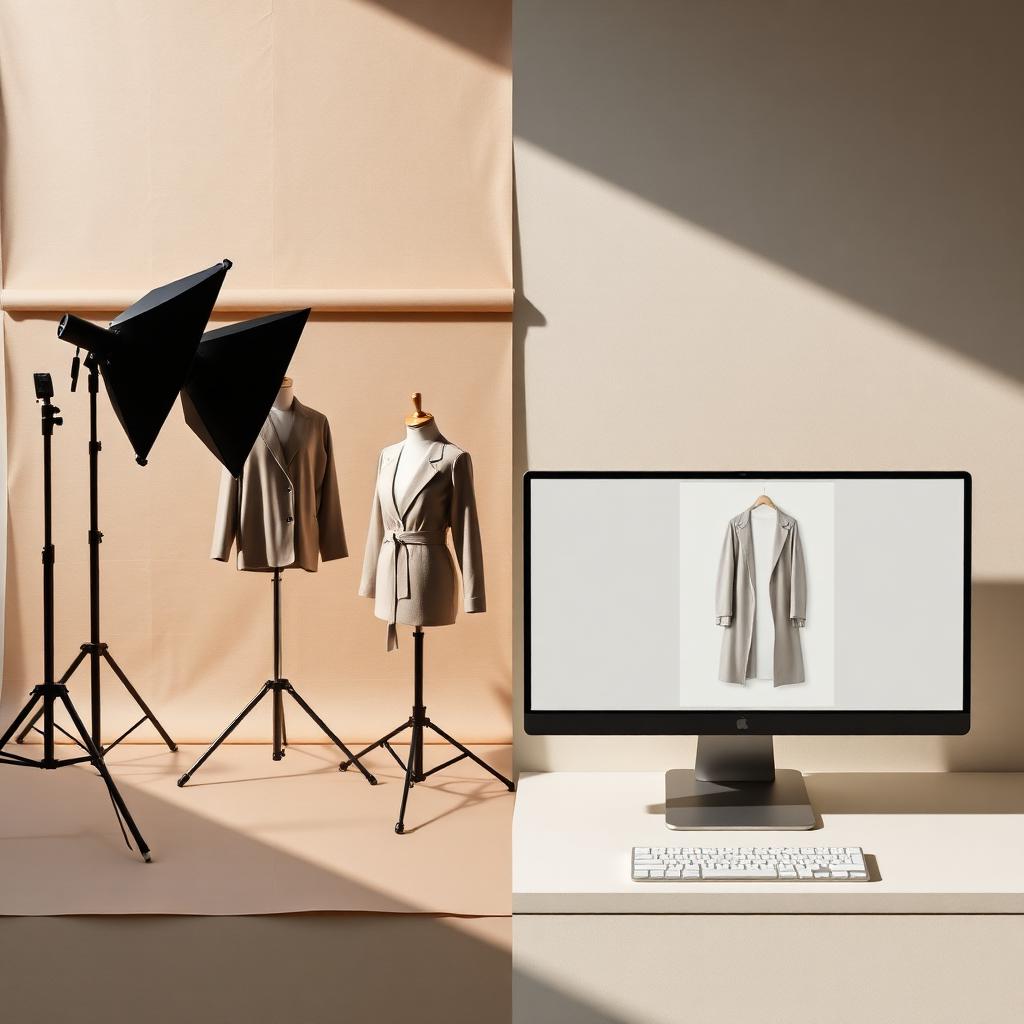
You have a sample, a deadline, and a budget that does not stretch to a full shoot. The studio wants a week of lead time, a model, a stylist, and a four-figure invoice. Meanwhile the product needs to go live now. So you start looking for a fashion product photography alternative.
Ecommerce should not start after the product is approved. It should start with the product. This guide is an honest comparison of AI product images and a studio shoot. Where each wins, where each fails, and how to use AI without lying to your shopper about fit or fabric.
AI vs studio photography: the short answer
If you only read one thing:
- The alternative to a studio shoot is product-accurate AI imagery generated from your real product or 3D file, not a generic AI picture of a vaguely similar garment.
- AI wins on speed, cost, and variation. New colorways, angles, and backgrounds without rebooking a shoot.
- Studio still wins on hero shots and brand campaigns where a human director, a real model, and real light matter.
- Accuracy is the whole game. Product images help shoppers evaluate fit and length, and human-model reference matters for worn products (Baymard Institute). An inaccurate image causes the return it was meant to prevent.
- Kampana generates product-accurate images from the same product node that makes your tech pack and copy, with a human approval gate and product-fidelity QA.
What is a fashion product photography alternative?
A fashion product photography alternative is any way of producing your PDP and campaign images without booking a traditional studio shoot for every style. In 2026 the serious alternative is AI image generation, but the word "AI" hides a big distinction.
There are two very different things people call AI fashion images:
- Generic AI generation. You prompt a model for "a woman in a blue linen shirt" and it invents a plausible garment. It is not your garment. The buttons, the seams, the fit are all made up.
- Product-accurate generation. You start from your real product, a flat, a sample photo, or a 3D file, and the system renders that specific garment in new scenes, on new models, in new colorways.
The first is fast and useless for a PDP, because it misrepresents the product. The second is the actual alternative to a studio shoot. The rest of this guide is about that one.
Where AI imagery fits
| Image type | Studio shoot | Product-accurate AI |
|---|---|---|
| Flat lay / packshot | Yes | Yes |
| Ghost mannequin | Yes | Yes |
| On-model | Yes | Yes, from the real product |
| Colorway variations | Reshoot each | Generate from one |
| Campaign hero | Strong | Use with care |
Why the studio shoot became a bottleneck
The studio shoot is not bad. It is slow, and slowness is the problem when you are dropping product all year instead of twice a season.
Here is the lazy default that holds brands back:
- Every style needs a booking. Model, photographer, stylist, location, all scheduled in advance.
- Variations mean reshoots. A new colorway is a new shoot, even though the garment is identical.
- Lead times block launches. The product is ready but the images are two weeks out.
- Cost scales with SKUs. More styles means a bigger invoice, every season.
- Reshoots for mistakes. A missed angle or a wrong size means going back.
The result is a backlog. Product sits finished while imagery catches up. For a small brand running frequent drops, the photoshoot becomes the thing that decides how fast you can launch. That is backwards.
What a studio shoot actually costs
The cost of a studio shoot is not just the invoice. It is the time and the inflexibility too. Costs vary widely by market and brand, so treat the categories below as the structure rather than fixed numbers.
| Cost driver | Studio shoot | Product-accurate AI |
|---|---|---|
| Setup | Studio, lighting, equipment | None |
| People | Photographer, model, stylist, retoucher | Reviewer |
| Time | Days to weeks of lead time | Hours, then review |
| Per variation | New shoot or reshoot | New render from one source |
| Scaling SKUs | Cost rises with each style | Credits, reused per style |
The honest version: a studio shoot produces a controlled, real photograph and that has real value. But every cost above is paid again for the next colorway and the next style. AI shifts the cost from "per shoot" to "per render," and lets you reuse one approved product across many outputs.
How AI product images work for fashion
Product-accurate AI imagery does not start from a prompt. It starts from your product. That is the difference between a useful PDP image and a pretty lie.
From a real source
The input is your actual garment. That can be a flat lay, a sample photo, a CAD file, or a 3D asset from CLO3D or Browzwear. The system uses that as the truth, so the rendered buttons, seams, print placement, and silhouette match the real thing. If you work in 3D, the 3D-to-renders workflow is the cleanest path.
Generating the shots you need
From one approved source you can produce the standard PDP set:
- Packshot or flat lay on a clean background
- Ghost mannequin to show shape without a model
- On-model shots to show fit and drape
- Detail crops for fabric and hardware
- Lifestyle or background variations for campaigns
Colorways without a reshoot
This is where AI pulls ahead hardest. Once the base garment is approved, generating the same style in a new colorway is a render, not a shoot. The brands that ship a full color story across a collection do not photograph every variant. They render them.
AI renders vs studio photography: the honest comparison
Here is the side-by-side, without the hype. Both have a place. The mistake is using one where the other belongs.
| Studio shoot | Product-accurate AI | |
|---|---|---|
| Speed | Days to weeks | Hours, then review |
| Cost per style | High, repeats per variation | Credit-based, reused |
| Variations | Reshoot | Render |
| Realism | A real photograph | High, if the source is accurate |
| Hero campaign | Strong | Use selectively |
| Fit accuracy | True to the sample on the day | True to the source you feed it |
| Scaling to many SKUs | Cost rises per SKU | Designed for volume |
| Human direction | Built in | Added at the approval gate |
The headline: AI is the better default for the working PDP set and for variations. Studio earns its keep on the hero shots where a director, a real model, and real light do something AI should not fake.
Where studio still wins
Be honest about this. There are shots where you should still book the shoot.
- The brand hero campaign. The image that defines the season deserves a real director and real talent.
- Movement and emotion. A model laughing, walking, moving in a way that sells a feeling, not just a fit.
- Texture that has to be felt through the lens. Some fabrics photograph best with a real photographer chasing the light.
- Trust-critical talent. When a named model or a specific real person is part of the story.
If the image is the campaign, shoot it. AI is not trying to replace the art direction that builds a brand. It is trying to clear the backlog of working product images so your team spends its shoot budget where it counts.
Where AI wins
And here is where AI is simply the better tool.
- The PDP working set. Packshot, ghost mannequin, on-model, detail. The images every product needs.
- Colorway variations. Same garment, new color, no reshoot.
- Speed to launch. Product approved today, images today.
- Volume. Hundreds of SKUs without a booking for each.
- Iteration. New angle, new background, new crop without rebuilding a set.
- Reuse. The same approved product feeds your PDP pack, your marketplace feeds, and your social campaign.
How to keep AI images product-accurate
This is the section that separates a real alternative from a liability. An inaccurate image is worse than no image, because it sells a garment that does not exist and the shopper finds out when it arrives.
Start from the real product
Never generate from a text prompt for a PDP. Start from a flat, a sample, or a 3D file. The source is the truth. Product-accurate renders depend on a product-accurate source.
Check the details that matter
Before any image goes live, verify against the real garment:
- Silhouette and fit match the sample
- Print and pattern placement are correct
- Hardware, buttons, and trims are right
- Color matches the approved colorway
- Fabric behavior looks true, not invented
Do not misrepresent fit
On-model images decide whether a shopper trusts the page. Baymard's research is clear that for worn products, a human model is the reference shoppers need to judge fit and length (Baymard Institute). If your AI model is a different body than your size guide implies, you are setting up a return. Show fit honestly.
Keep a human approval gate
A person signs off on every image. Product-fidelity QA plus a human eye is what keeps "fast" from becoming "wrong."
A step-by-step AI product image workflow
A repeatable process beats one-off experiments. Here is the flow.
- Pick the source. Use the best truth you have: a clean sample photo, a flat, or a 3D file.
- Choose the shot set. Decide which of packshot, ghost mannequin, on-model, and detail you need for this style.
- Generate the base set. Render the standard PDP images from the source.
- Generate variations. Add colorways, angles, and backgrounds from the same approved base.
- Run product-fidelity QA. Check silhouette, print, hardware, and color against the real garment.
- Human approval. A person signs off before anything ships.
- Export per channel. Send the right sizes and crops to the PDP, the feed, and social.
What AI should not decide
AI generates the images. It does not get to decide the facts they imply.
- Fit and proportion. These come from the real sample, not the model's guess at drape.
- Color truth. The approved colorway is the reference, not whatever the render drifts to.
- Which body to show. Representing fit honestly is a brand decision, not an automatic one.
- Final publish. A person approves every image.
AI will not replace your art director. It gives the team a complete, product-accurate set so they direct and approve instead of waiting on a booking. The craft stays human. The grind goes to the machine.
Meeting platform image requirements
Your images do not just live on the PDP. They feed Google Shopping, Meta, and Pinterest, and each has rules. AI images have to meet the same specs as studio images.
Feed image rules
Google Merchant Center requires a valid image for each product through the image_link attribute and has rules on what the main image can show (Google Merchant Center). Whatever the source, the file has to pass. Get the feed right with the marketplace optimization workflow.
Structured data
Mark up your product images with schema.org so engines read them cleanly (schema.org/Product). This applies to AI and studio images equally.
One source, every output
The advantage of generating from one product node is that you export the right size and crop for each channel without a new shoot. PDP, feed, and social all draw from the same approved set.
Common mistakes and how to fix them
Mistake 1: generating from a prompt, not the product
The image looks great and is not your garment. Fix it:
- Always start from a real source: flat, sample, or 3D.
- Reject any image where the details do not match.
- Treat text-to-image as ideation only, never as PDP output.
Mistake 2: misrepresenting fit
The model's body does not match the size guide. Fix it:
- Show a body that matches your stated fit.
- Add a model reference line in the copy.
- Keep on-model honest, because fit drives returns.
Mistake 3: skipping the accuracy check
Speed without QA ships errors. Fix it:
- Run a fidelity check on silhouette, print, hardware, and color.
- Compare against the real garment, not the render brief.
- Require human approval before publish.
Mistake 4: ignoring platform specs
Beautiful images get disapproved in the feed. Fix it:
- Check Google and Meta image rules before export.
- Match required sizes and main-image rules.
- Use a feed workflow to catch errors early.
How your image choice affects returns and conversion
Images are not decoration. They are the proof a shopper uses to decide. Baymard found product images are the first thing many shoppers explore and are central to whether they can evaluate the product (Baymard Institute). For apparel, that means fit and length, which a cutout without a human model cannot show.
The cost of getting it wrong is real. Apparel is one of the most returned online categories (Statista), and US returns were projected at $890 billion for 2024 (NRF and Happy Returns). Accurate imagery, whether studio or AI, reduces the "this is not what I expected" return. Inaccurate imagery, especially generic AI, increases it.
So the choice is not "AI or studio." It is "accurate or not." The brands that win use studio for the hero and product-accurate AI for the working set, and they keep both honest. That is the flow Kampana is built around.
How Kampana handles product imagery
Kampana is an AI product creation OS for fashion brands. It turns one product into design, 3D renders, tech packs, PDP imagery, B2B sell-in kits, marketplace feeds, and social campaigns, on a node-based canvas with approval gates and product-fidelity QA. Imagery is generated from the real product, not invented from a prompt.
Because the images come off the same product node that makes your tech pack and copy, the buttons, seams, print, and fit stay true. 3D and CAD are inputs, not a separate digital-only product.
What you get
- A full PDP image set: packshot, ghost mannequin, on-model, and detail
- Colorway and angle variations from one approved source
- Campaign and background renders for social
- Channel-ready exports for PDP, feeds, and ads
- Product-fidelity QA and a human approval gate on every image
Studio shoot vs Kampana
| Studio shoot | With Kampana | |
|---|---|---|
| Lead time | Days to weeks | Hours, then review |
| Variations | Reshoot | Render from one source |
| Cost driver | Per shoot, per style | Credits, shared pool |
| Source of truth | The sample on the day | Your real product or 3D file |
| Who approves | Manual review | Human approval gate + product-fidelity QA |
How it works
- Drop one product on the canvas.
- Wire it to the PDP asset pack node.
- Generate the image set from your real source.
- Approve each product-accurate image.
- Export channel-ready files.
Pricing is credit-based. You draw from one shared credit pool, with no seats and no subscription, and credits never expire. There is a free starter pack to try it. The ecommerce PDP asset pack workflow lists its real credit range. Feed it from the 3D-to-renders workflow, pair it with marketplace feed optimization, and connect the whole thing in the end-to-end collection launch. See credit pricing.
FAQ
What is the best alternative to fashion studio photography?
For the working PDP set and variations, product-accurate AI imagery generated from your real product or 3D file is the strongest alternative. It is faster and cheaper than a shoot and scales across SKUs. Reserve studio shoots for hero campaign images where real direction and talent matter.
Are AI product images accurate enough for a PDP?
They can be, if they start from your real product rather than a text prompt. A render built from a sample, a flat, or a 3D file keeps the silhouette, print, and hardware true. The risk is generic AI that invents a garment, which misrepresents the product and drives returns.
Will AI images increase returns?
Inaccurate images increase returns. Accurate ones reduce them. Product images are central to how shoppers evaluate fit and length, and a human model is the reference shoppers need for worn products (Baymard Institute). Honest, product-accurate imagery is the goal.
Is AI fashion photography cheaper than a studio shoot?
Usually, especially at volume. A studio shoot pays for setup, people, and time again for every style and every variation. AI shifts cost to a per-render basis and reuses one approved product across many outputs. Exact savings depend on your SKU count and how many variations you need.
Can AI generate different colorways without a reshoot?
Yes. Once the base garment is approved, a new colorway is a render, not a shoot. This is one of the clearest advantages of generating from a single product source, and it is how brands ship a full color story without photographing every variant.
Do AI images meet Google Shopping and Meta requirements?
They have to meet the same specs as any image. Google Merchant Center requires a valid main image and has rules on what it can show (Google Merchant Center). Check feed and platform image rules before export, regardless of how the image was made.
Should I stop using a studio entirely?
No. Use studio for the brand hero campaign, for movement and emotion, and when specific real talent is part of the story. Use product-accurate AI for the working PDP set, colorways, and volume. The smart play is both, each where it is strongest.
How does Kampana keep AI images product-accurate?
Kampana generates images from your real product or 3D file on a node-based canvas, then runs product-fidelity QA and a human approval gate before anything publishes. The source is the truth, and a person signs off, so fast does not become wrong.
The bottom line
The real question is not AI versus studio. It is accurate versus not. A studio shoot gives you a controlled, real photograph and earns its place on the hero image. Product-accurate AI gives you the working PDP set, the colorways, and the volume, in hours instead of weeks.
Generic AI that invents a garment is not an alternative. It is a return waiting to happen. The alternative that works starts from your real product, keeps fit and detail honest, and puts a person at the approval gate.
Use studio where direction matters. Use product-accurate AI everywhere else. Build a complete PDP pack or start creating, free.
Send one product URL. Kampana turns it into a mini campaign pack.